How It Works

Install Once. Protected Forever.

Under 30 minutes to set up. Then it runs silently — checking every lead, blocking every fake, automatically.

Start Free Trial →
The Simple Explanation

What happens every time someone submits your form
1
Visitor lands on your site
From Google Ads, Facebook, TikTok, organic, or direct. Source doesn't matter.
2
LeadsOff activates on page load
Invisible to genuine users. Starts behavioural scoring immediately.
3
Visitor submits the form
They click Submit. The 4-layer check begins.
4
4-layer check runs in <200ms
Identity · Behaviour · Device Fingerprint · Duplicate — all simultaneously.
✅ Genuine Lead
Passes through normally
Reaches your CRM. Triggers conversion tracking. Google records it as a real buyer signal.
✗ Fake Lead
Blocked permanently
No CRM entry. No conversion tracked. Platform never learns from it. Device fingerprinted forever.
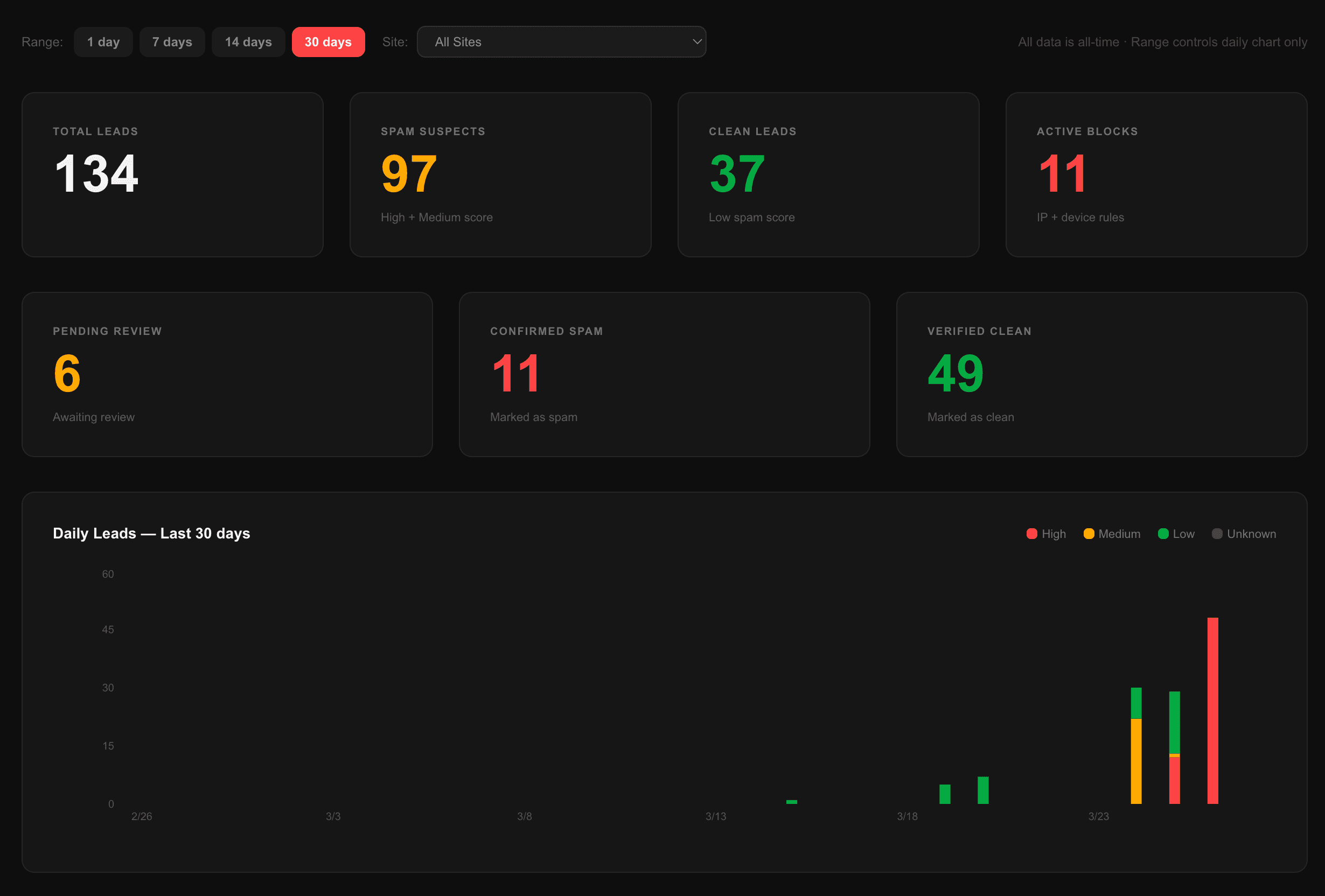
LeadsOff dashboard — live verification activity
Installation

3 Ways to Install. All Under 30 Minutes.

No developer needed. Pick the option that fits your stack.

WordPress Plugin
5 minutes. No developer.
  1. 1.Download plugin from your LeadsOff dashboard
  2. 2.Upload to WordPress → Plugins → Add New
  3. 3.Enter API key from dashboard
  4. 4.Save → you're live
📋
Script Tag
10 minutes. Any platform.
  1. 1.Copy one line of code from dashboard
  2. 2.Paste before </head> on your site
  3. 3.Works on Webflow, Squarespace, any HTML
  4. 4.Dashboard confirms when active
<script src="https://cdn.leadsoff.com/shield.js?id=YOUR_ID"></script>
🔗
Typeform Webhook
15 minutes. Video guide included.
  1. 1.Copy your webhook URL from dashboard
  2. 2.In Typeform: Connect → Webhooks → Add webhook
  3. 3.Paste the URL and save
  4. 4.Watch the 5-minute video guide
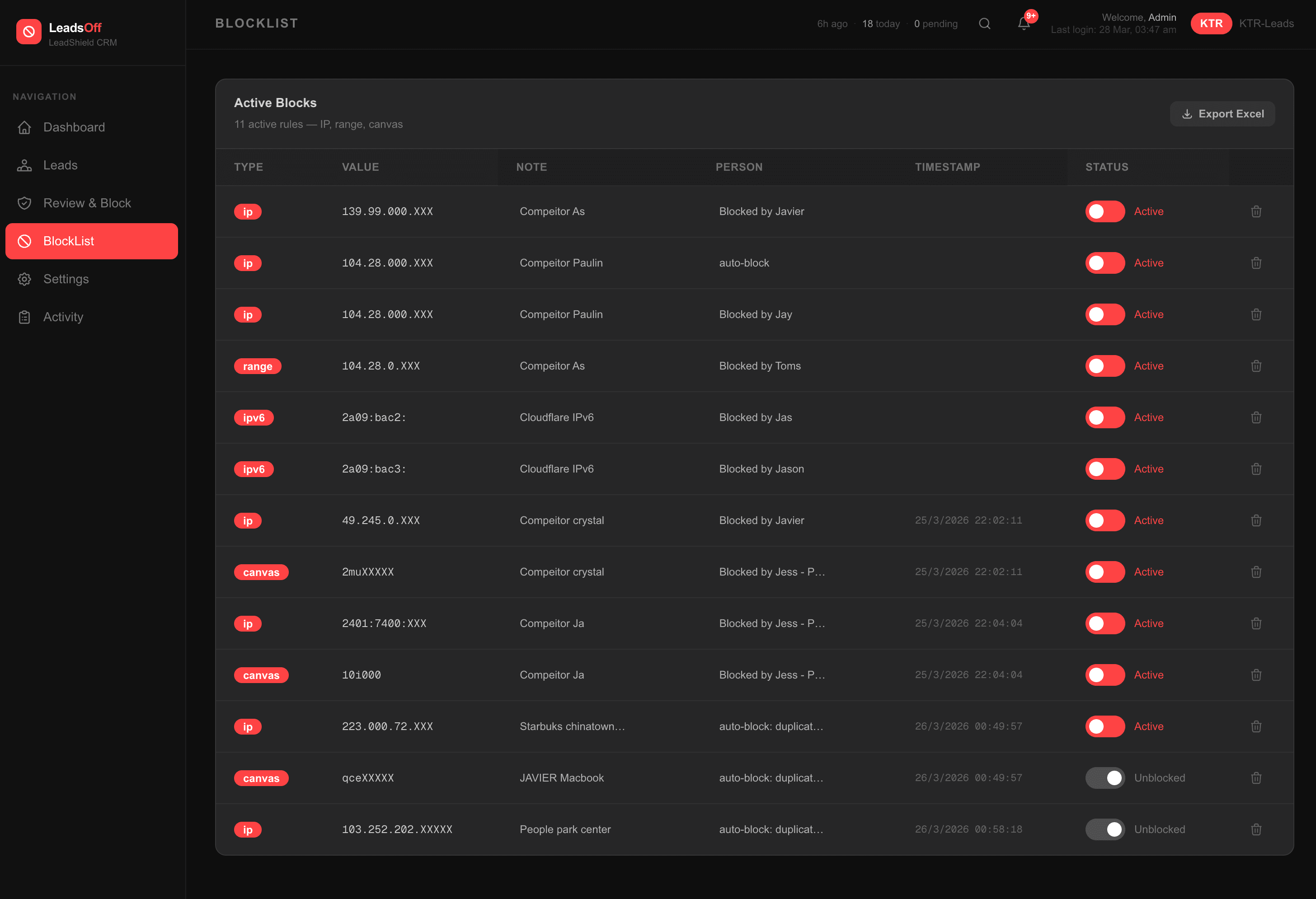
LeadsOff BlockList — every device blocked permanently

Every blocked device stays blocked — across VPN, incognito, new numbers

What To Expect

Your First Month With LeadsOff

Day 1
LeadsOff goes live
All 4 layers active. Dashboard shows real-time activity. First fingerprints captured.
Days 2–7
First spam leads identified
Suspicious patterns flagged. Repeat offenders fingerprinted. You see exactly who's hitting your form.
Week 2
Blocking patterns established
Known devices permanently blocked. VPN rotators, repeat submitters, competitor offices — all flagged.
Weeks 3–4
Lead quality improving visibly
Only verified contacts reaching your CRM. Your team notices fewer dead numbers and ghost enquiries.
Month 2+
Campaign algorithm correcting
Google's Smart Bidding relearns from clean data only. CPL begins dropping. Real buyers improving.
The Honest Part

The First Submission Always Goes Through.

The very first submission from any new device is intentionally allowed through. That's how we capture their full device fingerprint — canvas hash, device characteristics, IP range, behaviour pattern — everything we need to block them permanently.

Think of it as a trap. The first contact is the capture. Every return visit from that device — different IP, different VPN, different number, incognito mode — still blocked forever.

Why this matters

If we blocked before the first submission, we'd have no fingerprint data. The attacker would just switch VPNs and keep going indefinitely. By letting the first one through, we permanently identify the device behind it — and they can never submit again from that device, no matter what they change.

Onboarding

We Set It Up For You.

Every plan includes a 30-minute onboarding call. We connect to your site, set up the integration, confirm the dashboard is live, and walk you through reading your first reports.

📞
30-min call
We connect live and do the setup together.
🔧
We handle integration
WordPress, script tag, webhook — we do it.
📊
Dashboard walkthrough
You leave knowing exactly what to watch.
Start Free Trial — We'll Set It Up →